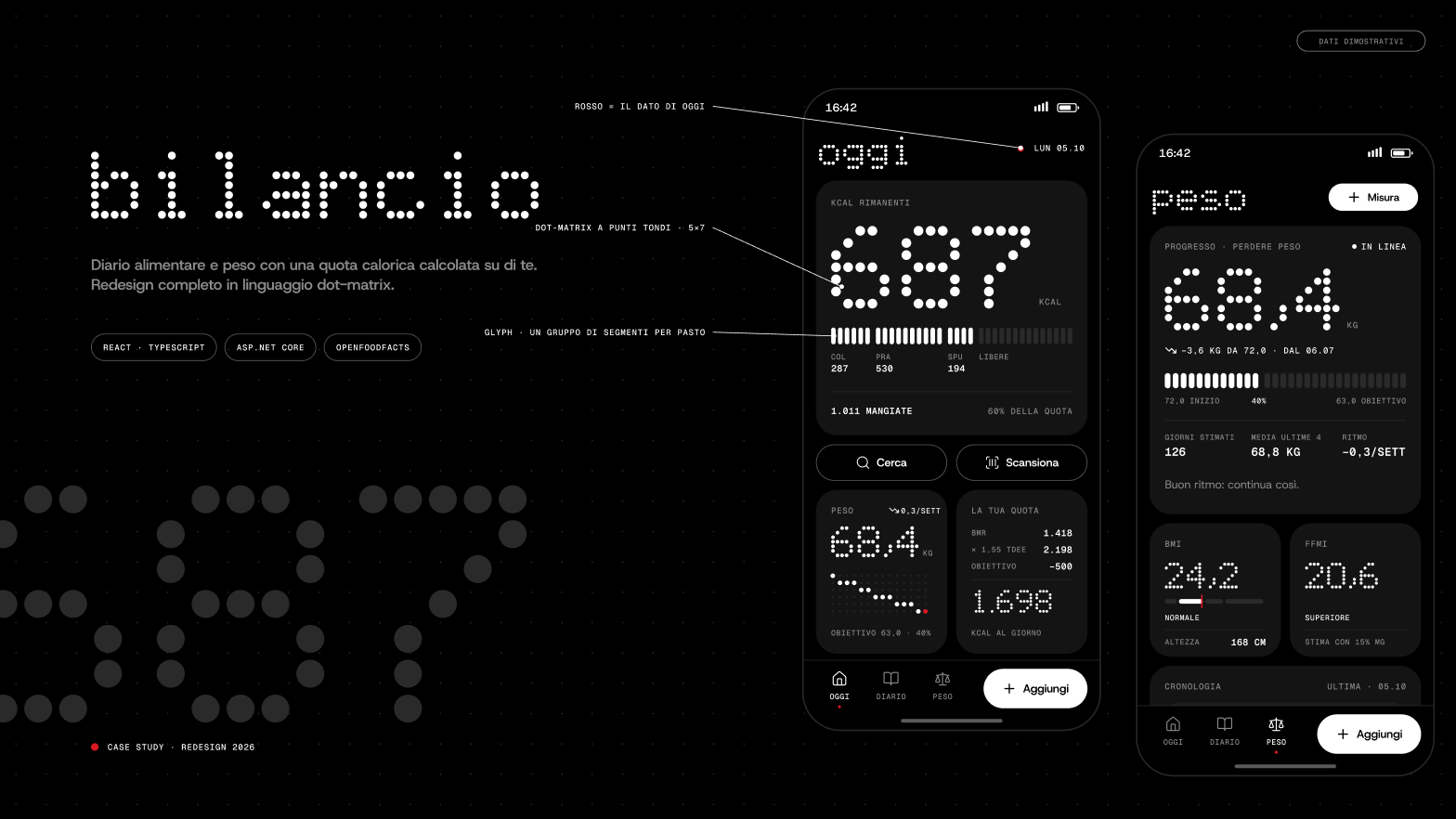
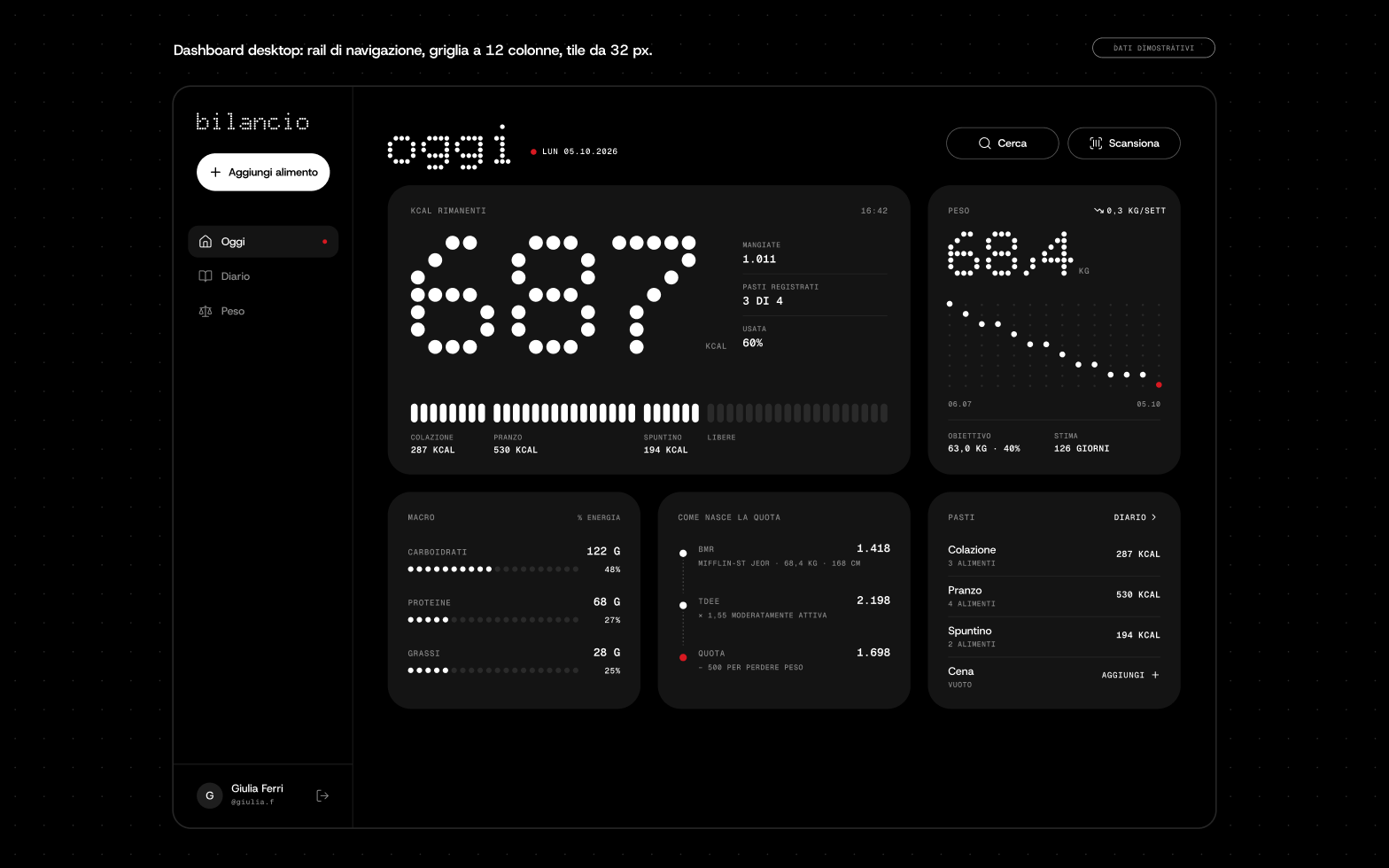
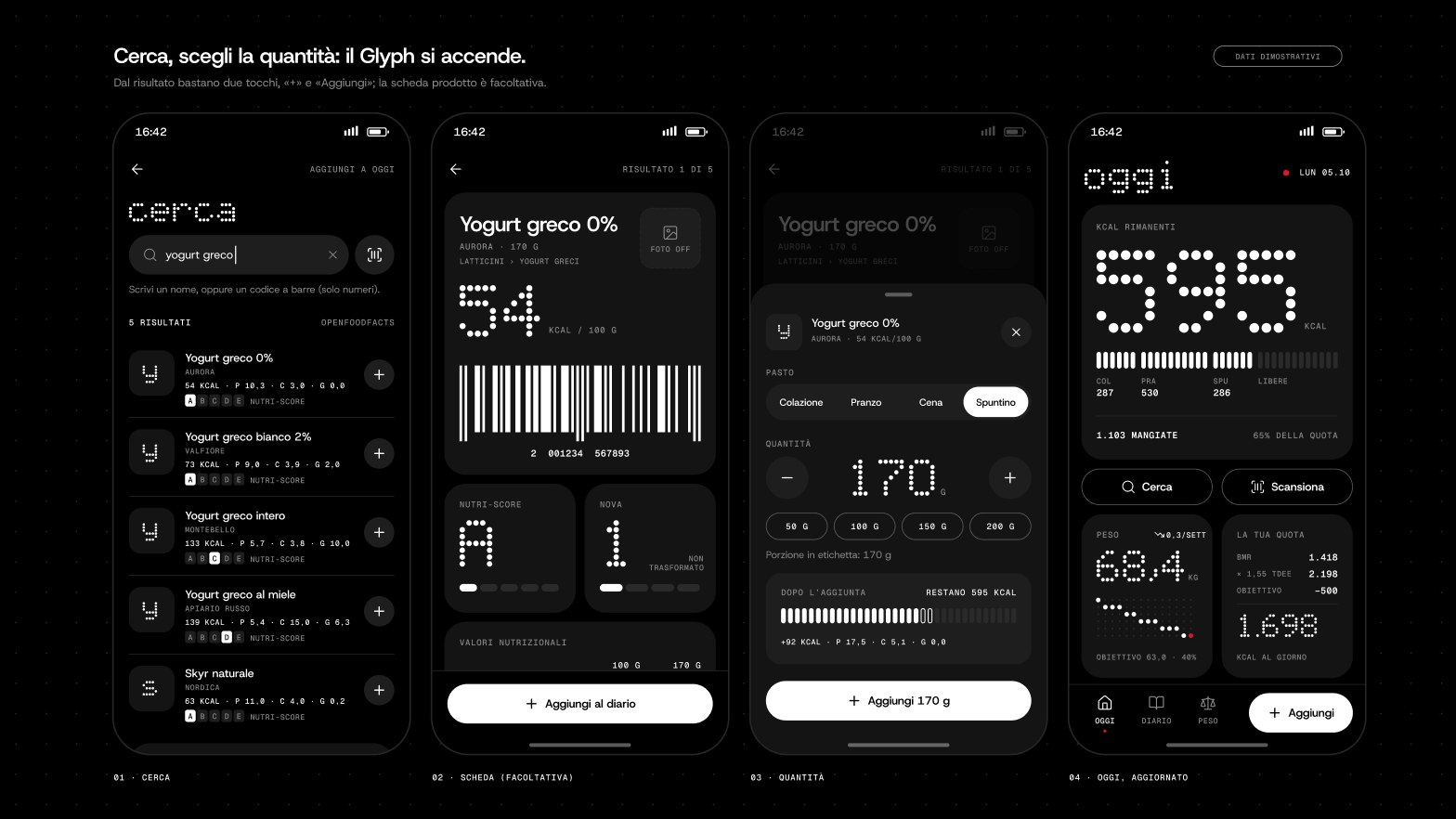
Web app for tracking food intake and weight: search across two public food databases, barcode scanning, calorie and macro calculation.
React 19 frontend in TypeScript, ASP.NET Core API with Entity Framework on SQL Server. The code is public on GitHub: what follows is the reasoning behind the choices, not a feature list.
Two data sources, two different schemas
Food data comes from USDA FoodData Central and from Open Food Facts. The first is a key-authenticated API with curated data, the second is open and crowd-fed: same domain, JSON structures that look nothing alike. The .NET API exposes two separate endpoints and normalises both responses into a single model before the frontend ever sees them.
Open Food Facts is a collaborative database, and it shows: the same numeric field arrives sometimes as a number, sometimes as a string, sometimes empty. Deserialisation was failing on perfectly valid products. The fix is a hand-written JsonConverter that accepts both shapes and degrades to null instead of bringing down the whole request.
Every external call carries a ten-second timeout and an identifiable User-Agent, as the Open Food Facts policy requires. A slow third-party service must not turn into a search that never answers.
The data model
Eight entities: users, measurements, foods, ingredients, categories, activities and the join tables. Foods to ingredients is many-to-many, modelled with a composite-key join table rather than a surrogate id: the pair is already unique, an extra column would just be more to maintain.
Cascade deletes are declared explicitly in the context configuration, not left to framework convention. Deleting a user takes their measurements and activities with it; deleting a food leaves the ingredient alone, since it exists on its own. That is a domain rule, and it is written where it can be read.
The schema evolves through migrations versioned in the repository, not by hand on the database: database structure is code, and it follows the code.
From body weight to a daily target
Energy needs are computed with the Mifflin-St Jeor equation for basal metabolic rate, multiplied by an activity factor ranging from 1.2 for sedentary users to 1.9 for daily training. The goal then applies a 500 kcal cut for weight loss or a 400 kcal surplus for weight gain: deliberately conservative, because that is the number people can hold over time.
The calculation always starts from the latest recorded measurement, never from a value frozen on the profile. Weight changes, and a target computed on a three-month-old figure is simply wrong. If the user has entered no measurements yet, the service returns a starting value instead of throwing: a nutrition app has to work on first launch too.
The logic lives in a separate service behind an interface, registered in dependency injection. Controllers do not calculate: they receive, orchestrate, respond.
The frontend
React 19 with TypeScript and Vite. Tailwind CSS for layout, Material UI for form components and MUI X-Charts for weight trends over time.
Barcode scanning uses html5-qrcode with the ZXing library: the camera reads the EAN, the code becomes a call to the Open Food Facts product endpoint, and the item lands in the diary without typing anything. It is the feature that decides whether the app gets used at all, because logging a meal by hand costs too much to do three times a day.
Why a .NET backend behind React
The frontend never calls USDA or Open Food Facts directly. The API acts as a bridge: it keeps the USDA key out of the browser, reduces two different responses to one format, and decides what deserves to be stored and what is just passing through.
Foods the user actually logs are persisted with their barcode. The second time around, the search never leaves the application boundary: no external call, no timeout to handle, no dependency on a public service being up.